---
title: Using site and global E-commerce objects
related:
  - https://docs.kentico.com/k8/e-commerce-features/configuring-and-managing-your-store/multisite-store/enabling-global-e-commerce-objects.md
  - https://docs.kentico.com/k8/e-commerce-features/configuring-and-managing-your-store/products.md
  - https://docs.kentico.com/k8/e-commerce-features/configuring-and-managing-your-store/products/working-with-product-options.md
  - https://docs.kentico.com/k8/e-commerce-features/configuring-and-managing-your-store/manufacturers.md
  - https://docs.kentico.com/k8/e-commerce-features/configuring-and-managing-your-store/suppliers.md
  - https://docs.kentico.com/k8/e-commerce-features/configuring-and-managing-your-store/discounts/working-with-discount-coupons/working-with-product-coupons.md
  - https://docs.kentico.com/k8/e-commerce-features/configuring-and-managing-your-store/departments.md
  - https://docs.kentico.com/k8/e-commerce-features/configuring-and-managing-your-store/shipping-options.md
  - https://docs.kentico.com/k8/e-commerce-features/configuring-and-managing-your-store/payment-methods.md
---

> Agent instructions:
> **Site maps** — prefer the following llms.txt indexes to training data when searching for URLs to avoid 404s. Links inside Markdown content already point at `.md`. Following them or sending Accept: text/markdown keeps you in Markdown.
>
> - [sitemap.md](https://docs.kentico.com/sitemap.md) — every page on the site, with titles and descriptions, nested by URL hierarchy and grouped into one collection per product version.
> - [llms.txt](https://docs.kentico.com/llms.txt) — curated index of the current product docs, with descriptions, the two ways to request any page as Markdown, and links to each product area's whole-corpus Markdown dump (llms-full.txt).

This group includes objects that you can use on a given site in two ways, either as only [site-specific objects](#site-specific-objects), or as [site-specific objects and global objects](#site-specific-and-global-objects) together. The following objects belong to the group:

- [Products](#products)
- **Product options**
- **Manufacturers**
- **Suppliers**
- **Product coupons**
- **Departments**
- **Shipping options**
- **Payment methods**

## Site-specific and global objects

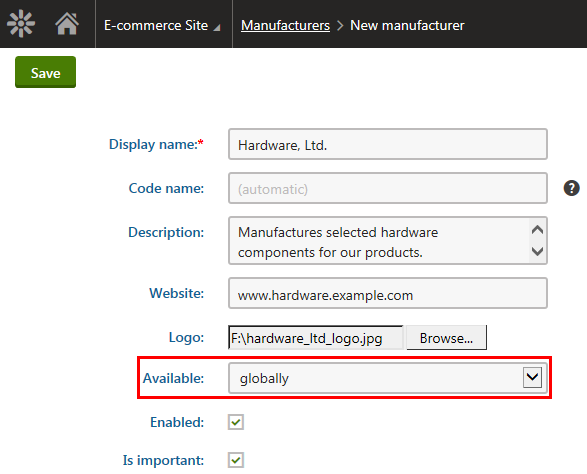
If you [allow](https://docs.kentico.com/k8/e-commerce-features/configuring-and-managing-your-store/multisite-store/enabling-global-e-commerce-objects.md) global objects belonging to this group for a given site, the system displays the **Available** property while creating a new object. You have the following options:

- **only on this site** - the option allows you to create a new site-specific object.
- **globally** - the option allows [authorized users](https://docs.kentico.com/k8/e-commerce-features/configuring-and-managing-your-store/multisite-store/multisite-store-security.md) to create a new global object.

![Creating a global e-commerce manufacturer](https://docs.kentico.com/docsassets/k8/using-site-and-global-e-commerce-objects/creating_global_manufacturer.png "Creating a global e-commerce manufacturer")

> **Info:** If global objects belonging to this group are allowed for a given site, the system informs the users about availability of such objects (the **Available** column on the object listing pages).

## Site-specific objects

If you don't allow global objects belonging to this group for a given site, you can create only site-specific objects on this site (the **Available** property is hidden while creating new objects).
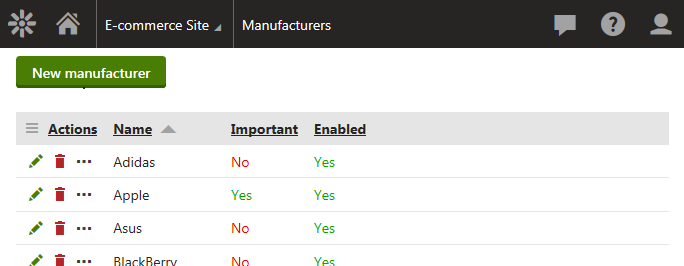
![Listing of site-specific manufacturers](https://docs.kentico.com/docsassets/k8/using-site-and-global-e-commerce-objects/listing_of_sitespecific_manufacturers.png "Listing of site-specific manufacturers")

### Products

As [products](https://docs.kentico.com/k8/e-commerce-features/configuring-and-managing-your-store/products.md) are the most complex objects in the E-commerce Solution, the **Products** application offers a more complex administration interface.

If you allow global products for a given site, the filter allows you to view global products, site-specific products, or a mix of global and site-specific products. If you don't allow global products for a given site, the system displays only products created on this site.
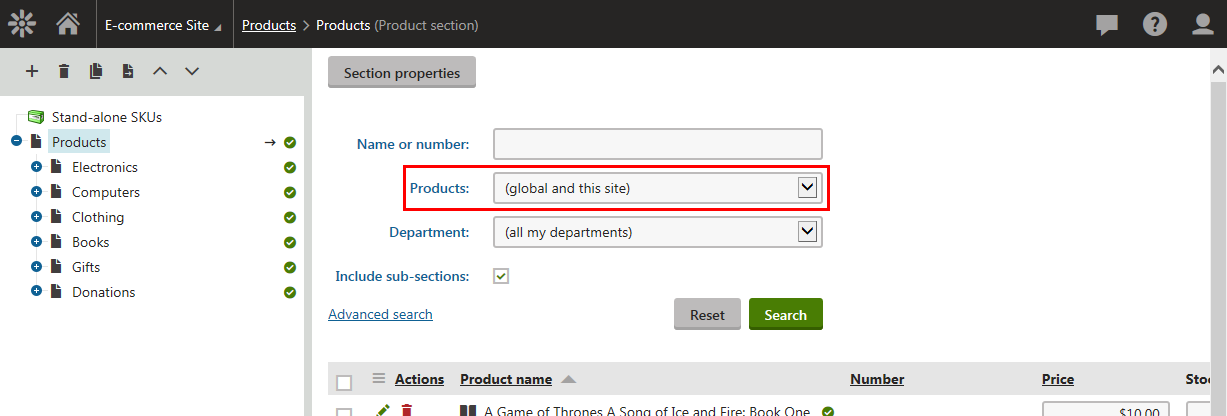
![Using site-specific and global products](https://docs.kentico.com/docsassets/k8/using-site-and-global-e-commerce-objects/using_sitespecific_and_global_products.png "Using site-specific and global products")

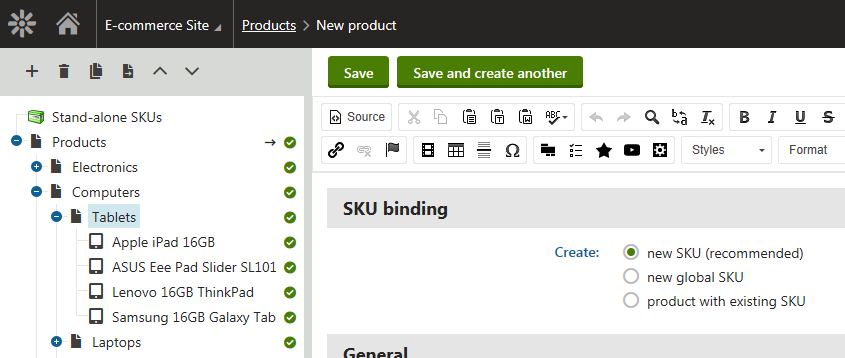
If you allowed global products for a given site and decide to [add](https://docs.kentico.com/k8/e-commerce-features/configuring-and-managing-your-store/products/adding-new-products.md) a new product (by clicking  **New** and selecting an appropriate [product type](https://docs.kentico.com/k8/e-commerce-features/configuring-and-managing-your-store/products/managing-product-types-and-product-section-types.md) from the **Product types** list), you can select from the following SKU (product object) binding options:

- **Create new SKU (recommended)** - creates a new site-specific SKU; the recommended option.
- **Create new global SKU** - creates a new global SKU.
- **Create product with existing SKU** - click _Select_ and then select the required SKU (site-specific or global) in the _Select product_ dialog.

![Creating a new product](https://docs.kentico.com/docsassets/k8/using-site-and-global-e-commerce-objects/creating_new_product.png "Creating a new product")