
Allowing users to contribute to blogs on the live site
You can allow users to perform the following blog post related task on the live site:
- Edit blog’s properties - using the Edit contribution web part
- Add new blog posts - using the Contribution list web part
- Edit or delete blog posts - using the Edit contribution web part
You can find a live example of this on the Blogs title page of the sample Community site. Open the Pages application and view the page on the Design tab, you can see the following web parts, which enable the above mentioned functionalities:
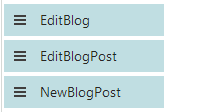
Allowing users to edit blog properties on the live site
Create an alternative form for the Blog page type, which will contain the fields that you want to let users modify.
Add the Edit contribution web part to the blogs section title page and set its following properties:
- Show for page types - CMS.Blog
- Alternative form name - code name of the alternative form created in step 1
- Edit button label - Edit blog
- Allow editing by users - Page owner; this is the setting that makes the most sense as blog properties should be edited only by the blog’s owner
If you go to the live site and display some blog placed under the blogs section title page, you should see the Edit blog link as highlighted in the screenshot below. After clicking the link, the alternative form will be displayed, letting blog owners edit the properties of the blog.
Allowing users to add new blog posts on the live site
Create an alternative form for the Blog post page type, which will contain the fields that you want to let users to specify when creating the blog post.
Add the Contributions list web part to the blogs section title page. You only need to set the following properties, as the web part will not be used for displaying blog posts, but only for their inserting.
- Show for page types -CMS.Blog
- Allowed new page types - CMS.BlogPost
- Alternative form name - code name of the alternative form created in step 1
- New item button label - New blog post
- Allow insert - enable
- Allow editing by users - Page owner; this is the setting that makes the most sense as blog posts should be edited only by the blog’s owner
If you go to the live site and display some blog placed under the blogs section title page, you should see the New blog post. After clicking the link, the alternative form will be displayed, letting blog owners add new blog posts directly from the live site.
Allowing users to edit or delete blog posts on the live site
Create an alternative form for the Blog post page type, which will contain the fields that you want to allow users modify.
Add the Edit contribution web part to the blogs section title page and set its following properties:
- Show for page types - CMS.BlogPost
- Alternative form name - code name of the alternative form created in step 1
- Edit button label - Edit
- Allow delete - enable
- Allow editing by users - Page owner; this is the setting that makes the most sense as blog posts should be edited only by the blog’s owner
If you go to the live site and display some blog post placed under the blogs section title page, you should see the Edit and Delete links. After clicking the Edit link, the alternative form will be displayed, letting blog owners edit the blog post. Using the Delete link, they can delete the blog post.