
Logging in to chat
This page explains the process of logging in to chat on the live site and the differences of this process for anonymous and registered users.
Anonymous users
When an anonymous user views a page that contains the Chat web part or the Chat login web part, she is presented with the following login box.
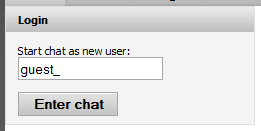
The text box provides an option to choose a nickname. It is automatically pre-filled with text defined in the Guest prefix settings key. If the user chooses not to change the predefined nickname, the system will append a number to the prefix and log the user in. Users cannot append any custom text to the guest prefix.
Registered users
When a registered and logged-in CMS user accesses a page that contains the Chat web part or the Chat login web part, she is presented with the following box:
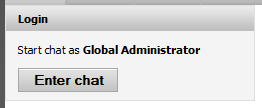
The login box allows the user to enter the chat with the nickname specified in their account properties. If the user hasn’t specified a nickname, their full name is used. Note that the chat nickname can be changed after logging in using the Change nickname link.
Related settings
The following are settings from the Community -> Chat category, which modify the behavior of the login box.
- Guest prefix - indicates the prefix anonymous users will be offered to include in their chat nickname.
- Allow anonymous users globally - determines whether anonymous users will be allowed to join chat. Note that even if the setting is on, you still can restrict anonymous access to individual rooms.
- Force anonymous unique nicknames - indicates if anonymous users should be forced to choose unique (unoccupied) nicknames.