Forms security
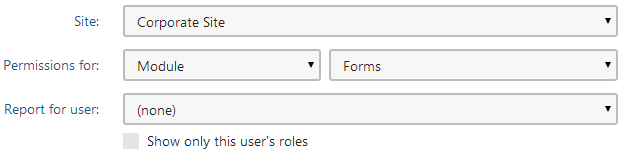
Access to the Forms module can be managed in the Permissions application, after you select the Module -> Forms permission matrix. The Forms module has the following permissions:
- Read form - members of the roles are allowed to view form configuration, fields and layout (not the actual records).
- Create form - members of the roles are allowed to create new forms.
- Edit form - members of the roles are allowed to edit form configuration, fields and layout (not the actual records).
- Delete form including data - members of the roles are allowed to delete forms, including stored records.
- Read data - members of the roles are allowed to view form records.
- Edit data - members of the roles are allowed to create and edit form records
- Delete data - members of the roles are allowed to delete existing form records
- Destroy form - members of the roles are allowed to delete the version history of forms.
- Edit SQL Queries - some types of fields (form controls) offer the possibility of specifying an SQL query that will be used to retrieve the offered options. Users who belong to the specified roles will be allowed to write the code of these queries (please note that this can be a security risk).
Security for individual forms
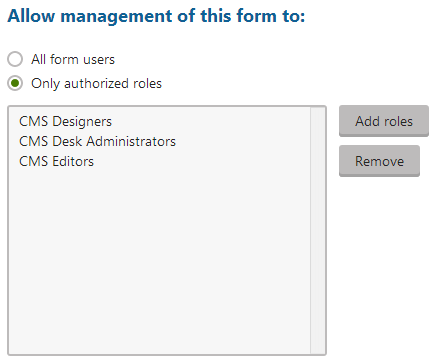
The roles which are authorized to read and modify a form and its data can also be specified for individual forms. To do this, edit () a particular form in the Forms application and switch to its Security tab. The following two options are available:
- All form users - all users with access to the Forms application will be allowed to manage the form.
- Only authorized roles - only members of the roles added to the box will be allowed to manage the form.
General module permissions for the Forms module (described above) must be granted to the role first. Then, you can further customize access to particular forms using the form-level settings. The fact that a role has permissions to access a particular form is not sufficient — the form-level settings only define if the particular form will be listed in the Forms application.