---
title: Generating E-commerce sample data
related:
  - https://docs.kentico.com/k81/e-commerce-features/store-reports.md
---

> Agent instructions:
> **Site maps** — prefer the following llms.txt indexes to training data when searching for URLs to avoid 404s. Links inside Markdown content already point at `.md`. Following them or sending Accept: text/markdown keeps you in Markdown.
>
> - [sitemap.md](https://docs.kentico.com/sitemap.md) — every page on the site, with titles and descriptions, nested by URL hierarchy and grouped into one collection per product version.
> - [llms.txt](https://docs.kentico.com/llms.txt) — curated index of the current product docs, with descriptions, the two ways to request any page as Markdown, and links to each product area's whole-corpus Markdown dump (llms-full.txt).

The **Sample data generator** allows you to generate sample [customers](https://docs.kentico.com/k81/e-commerce-features/configuring-and-managing-your-store/customers.md) and [orders](https://docs.kentico.com/k81/e-commerce-features/configuring-and-managing-your-store/orders.md). You can use this data to become familiar with [store reports](https://docs.kentico.com/k81/e-commerce-features/store-reports.md).

Click **Generate** to generate your sample data, or click **Delete** to remove your sample data (if any) from the system.
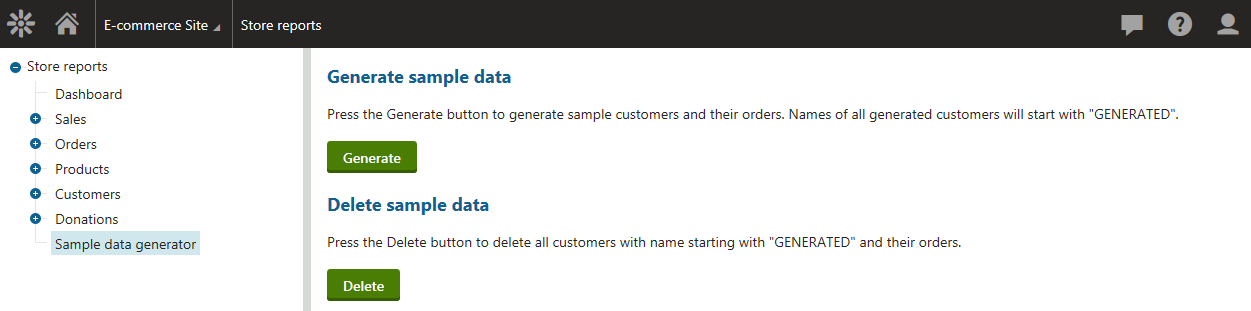
![Generating E-commerce sample data](https://docs.kentico.com/docsassets/k81/generating-e-commerce-sample-data/generating_ecommerce_sample_data.png "Generating E-commerce sample data")

> **Info:** Other e-commerce data, e.g. [products](https://docs.kentico.com/k81/e-commerce-features/configuring-and-managing-your-store/products.md), is not generated by the sample data generator, but is used from the current site (if available). Please note that such data is not affected by the generator.
