---
title: Managing your blog post comment subscriptions
---

> Agent instructions:
> **Site maps** — prefer the following llms.txt indexes to training data when searching for URLs to avoid 404s. Links inside Markdown content already point at `.md`. Following them or sending Accept: text/markdown keeps you in Markdown.
>
> - [sitemap.md](https://docs.kentico.com/sitemap.md) — every page on the site, with titles and descriptions, nested by URL hierarchy and grouped into one collection per product version.
> - [llms.txt](https://docs.kentico.com/llms.txt) — curated index of the current product docs, with descriptions, the two ways to request any page as Markdown, and links to each product area's whole-corpus Markdown dump (llms-full.txt).

## Subscribing to blog post comments

Visitors can subscribe when leaving a comment by checking the **Subscribe me to this blog post** check box. In this case, notifications will be sent to the e-mail address specified in the **E-mail** field above.

They can also subscribe without leaving any comment, by clicking the **Subscribe** link at the top of the **Leave comment** form. 

## Managing blog post subscriptions

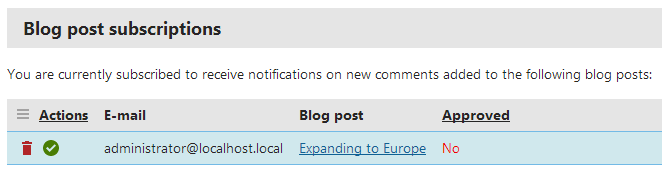
You can view and manage your blog post comment subscriptions in the **My profile** application.

1. Open the **My profile** application.
2. Switch to the **Subscriptions** tab.
3. **Delete** or **Approve** your blog post comment subscriptions.

 ![](https://docs.kentico.com/docsassets/k11/managing-your-blog-post-comment-subscriptions/blog_post_subscriptions.png)