---
title: Messaging
---

> Agent instructions:
> **Site maps** — prefer the following llms.txt indexes to training data when searching for URLs to avoid 404s. Links inside Markdown content already point at `.md`. Following them or sending Accept: text/markdown keeps you in Markdown.
>
> - [sitemap.md](https://docs.kentico.com/sitemap.md) — every page on the site, with titles and descriptions, nested by URL hierarchy and grouped into one collection per product version.
> - [llms.txt](https://docs.kentico.com/llms.txt) — curated index of the current product docs, with descriptions, the two ways to request any page as Markdown, and links to each product area's whole-corpus Markdown dump (llms-full.txt).

The **Messages** application allows users of your website to communicate through text messages. Its purpose is to provide an internal way of communication with other users, both on the live site and in the administration interface.

Users with access to this application can send, receive and manage their messages.
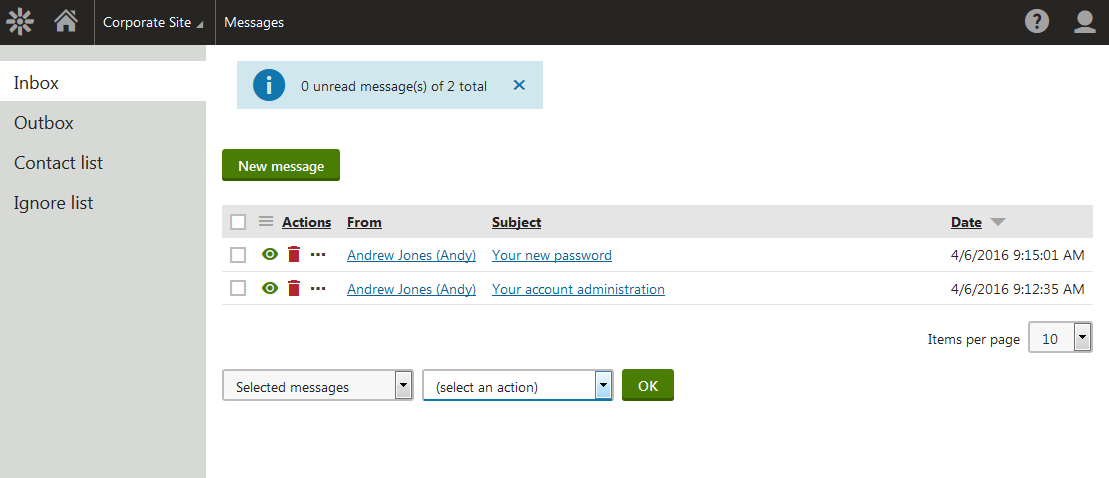
![Viewing incoming messages in the administration interface](https://docs.kentico.com/docsassets/k11/messaging/viewing_incoming_messages.png "Viewing incoming messages in the administration interface")

> **Note:** **Note**: The messaging module allows users to list, search for, and contact other registered users on the website. If you do not wish to use the messaging functionality, we recommend uninstalling the _Messaging_ module from your instance to maximize security. See [Adding and removing components from an installed Kentico web project](https://docs.kentico.com/k11/installation/adding-and-removing-components-from-an-installed-kentico-web-project.md).

The system also offers other ways for users to communicate with each other.

- With the [Forums](https://docs.kentico.com/k11/community-features/forums.md) application, you can add standard discussion forums to the live site.
- The [Message boards](https://docs.kentico.com/k11/community-features/message-boards.md) application provides similar functionality like the Forums application. The main difference is that message boards are not structured, and are typically used to enable users to add comments on the content of a particular page.

### Related tasks

- [Sending a message](https://docs.kentico.com/k11/community-features/messaging/sending-a-message.md)
- [Adding the messaging functionality to the live site](https://docs.kentico.com/k11/community-features/messaging/adding-the-messaging-functionality-to-the-live-site.md)
- [Configuring email notifications for messages](https://docs.kentico.com/k11/community-features/messaging/configuring-email-notifications-for-messages.md)
