---
title: Creating a news article
---

> Agent instructions:
> **Site maps** — prefer the following llms.txt indexes to training data when searching for URLs to avoid 404s. Links inside Markdown content already point at `.md`. Following them or sending Accept: text/markdown keeps you in Markdown.
>
> - [sitemap.md](https://docs.kentico.com/sitemap.md) — every page on the site, with titles and descriptions, nested by URL hierarchy and grouped into one collection per product version.
> - [llms.txt](https://docs.kentico.com/llms.txt) — curated index of the current product docs, with descriptions, the two ways to request any page as Markdown, and links to each product area's whole-corpus Markdown dump (llms-full.txt).

Now create a news article on the website.

1. In the **Pages** application, return to **Edit** mode.
2. Select **News** in the content tree.
3. Click **New** (). The system automatically chooses the **News** page type (the only type allowed in the News section).
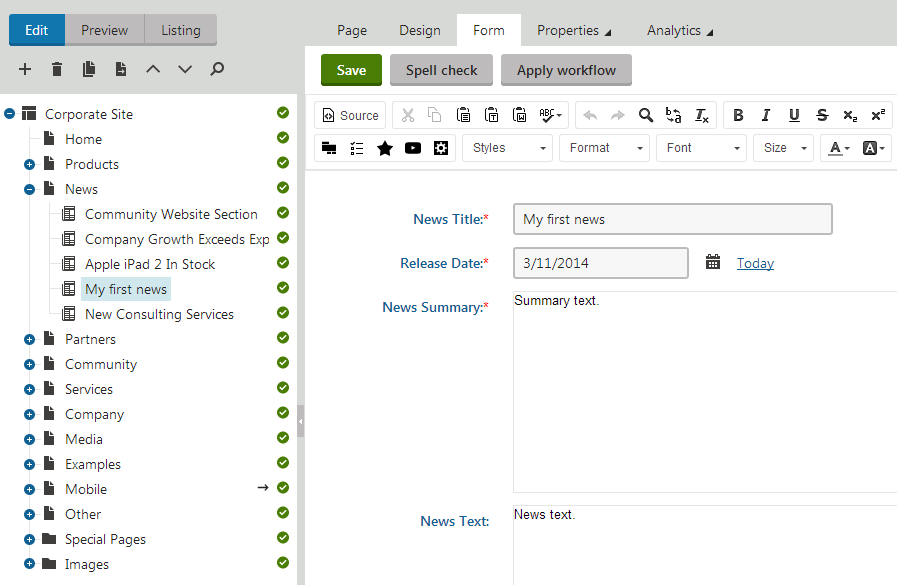
4. Fill in the news page fields in the editing form:
   - **News Title**: My first news
   - **Release Date**: click **Today**
   - **News Summary**: Summary text.
   - **News Text**: News text.
5. Click **Save** to create the new page.

The news page appears in the content tree (and on the website).
![Creating a news page](https://docs.kentico.com/docsassets/k82tutorial/creating-a-news-article/News_Form.png "Creating a news page")

When editing news pages, you use the **Form** tab instead of the **Page** tab. This means you are not editing the content of editable regions, but rather the structured data fields of the given page. The page fields are fully customizable for every page type.

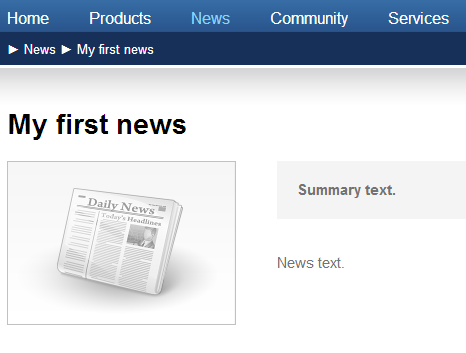
If you switch to **Preview** mode, you can see the data of the news page displayed on both the **News** page (list) and **News -> My first news** page (details).

![Viewing the details of the new news page](https://docs.kentico.com/docsassets/k82tutorial/creating-a-news-article/News_Details.png "Viewing the details of the new news page")

## Page versus form

Pages have two possible types of content:

- Content stored in editable regions on the page
- Data stored in form fields

The following table compares both approaches:

|                   | Editable regions on the Page                                                                                                                                                                 | Form                                                                                                                                                                                                                                                                                                              |
| ----------------- | -------------------------------------------------------------------------------------------------------------------------------------------------------------------------------------------- | ----------------------------------------------------------------------------------------------------------------------------------------------------------------------------------------------------------------------------------------------------------------------------------------------------------------- |
| Content structure | Simple content structure.                                                                                                                                                                    | Complex content structure, typed data, such as text, date-time values, numbers, files etc.                                                                                                                                                                                                                        |
| Validation        | Only supports basic validation rules for minimum and maximum length.                                                                                                                         | Customizable validation rules, including regular expressions and custom form controls with custom validation code.                                                                                                                                                                                                |
| Display           | The content is displayed on the page, just like it appears in editing mode.                                                                                                                  | You need to use listing web parts or controls to display the content using transformations.                                                                                                                                                                                                                       |
| Storage           | The content of all editable regions is stored in a single XML field in the data of each page.                                                                                                | The content is stored in a separate database table for the given page type. Each field has its own column. The data can be easily modified using SQL queries or the API.                                                                                                                                          |
| Examples of use   | Home page, contact page.<br>Generally: pages with simply structured or unstructured text-based content.<br>The editable regions are usually used for pages of the **Page (menu item)** type. | News, product specification, event details, job openings, etc.<br>Generally: pages with structured content where you need to separate content from design and keep the content in its original data type.<br>Form-based content is usually used for pages types such as **News,** **Product, Article**, **Blog**. |